达摩院AgentOS v10.0.192
Release Date: 2026-10-29
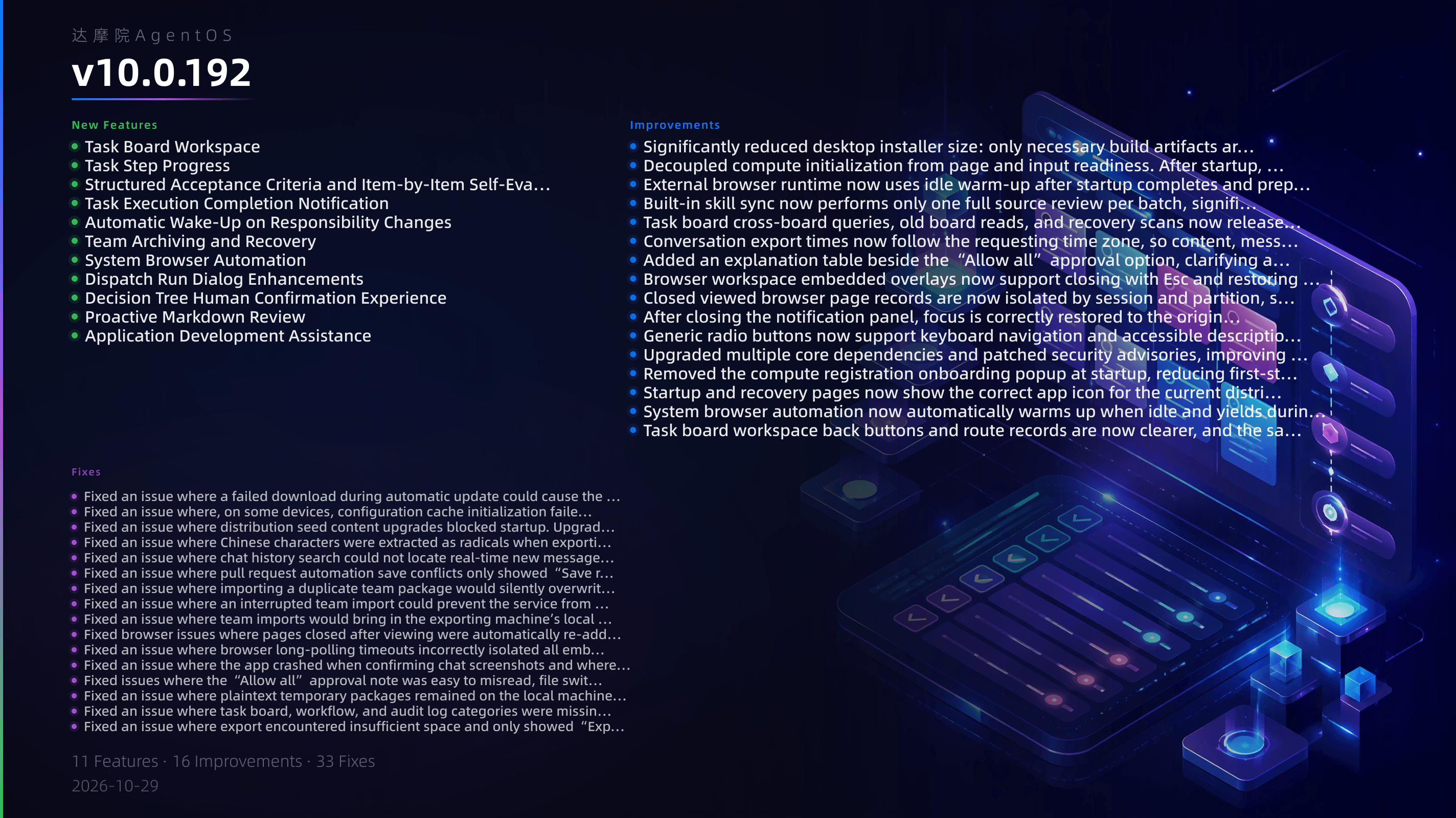
DAMO Academy AgentOS v10.0.192
New Features
- Task Board Workspace: Reorganizes the task board app into two top-level views, “Delegation Overview” and “Decisions.” The previous “Current Task Board, Automation, Flows, Relationship Graph” are consolidated into a single task board workspace, and workflow human nodes that require your handling are centrally displayed in Delegation Overview.
- Task Step Progress: Execution agents can self-report task step progress. Delegation Overview and task details now show a step progress bar, report time, and statuses such as “Stopped at step N/M.”
- Structured Acceptance Criteria and Item-by-Item Self-Evaluation: Delegators can set structured acceptance criteria for tasks, and agents self-evaluate each item when submitting. The acceptance panel and task details display the criteria, evidence, and latest self-evaluation. During rework, unmet items can also be checked.
- Task Execution Completion Notification: When an agent finishes execution but has not submitted for acceptance, the task board notifies the task board owner. The task board policy has been upgraded to V5, and task notifications can be enabled or updated from the page header.
- Automatic Wake-Up on Responsibility Changes: After reassignment, transfer, or reviewer designation, the system automatically “mentions” the new owner or reviewer in the task context. Wake-up is also registered when a new delegation creates a task, and “Failed to notify” is shown on the task card if notification could not be sent.
- Team Archiving and Recovery: Dissolving a team preserves a recoverable archive. Agents can list and restore archived teams through team management tools, and a cross-agent service capability for listing archived topics is provided.
- System Browser Automation: Supports launching from a system browser path, and can prepare an external browser automation runtime using bundled resources in intranet or offline environments.
- Dispatch Run Dialog Enhancements: You can directly answer structured questions and handle service approvals in the dispatch run dialog without switching to other entry points.
- Decision Tree Human Confirmation Experience: Decision tree questions are prioritized in the UI, support multi-line input, optional “I have seen the question” and “Skip for now, continue” choices, and boolean questions are now answered directly by selecting “Yes/No.”
- Proactive Markdown Review: Markdown documents display the latest trusted content by default. Users can proactively open a separate review tab to view history and roll back to the actual saved version.
- Application Development Assistance: When developing applications, agents can obtain trusted draft source conversations from the platform, reducing cases where applications cannot be published to “My Apps” due to incorrect source entry.
Fixes
- Fixed an issue where a failed download during automatic update could cause the app to exit directly.
- Fixed an issue where, on some devices, configuration cache initialization failed after upgrade, causing the app to enter the recovery page and fail to start normally.
- Fixed an issue where distribution seed content upgrades blocked startup. Upgrade tasks are now executed in a background queue after startup completes.
- Fixed an issue where Chinese characters were extracted as radicals when exporting conversation PDFs, and monospace code fonts were missing.
- Fixed an issue where chat history search could not locate real-time new messages in the current session, and where historical preview matches could remain outside the clipped area.
- Fixed an issue where pull request automation save conflicts only showed “Save result unconfirmed” without explaining the specific reason.
- Fixed an issue where importing a duplicate team package would silently overwrite an existing team. It now asks for confirmation before overwriting, and conversation record conflicts provide a clear next step.
- Fixed an issue where an interrupted team import could prevent the service from starting again, and added support for retrying from the original source after local storage becomes full.
- Fixed an issue where team imports would bring in the exporting machine’s local configuration.
- Fixed browser issues where pages closed after viewing were automatically re-added after task settlement, frozen empty personal browser sessions could not open new pages, and observer records remained after revoking shared authorization.
- Fixed an issue where browser long-polling timeouts incorrectly isolated all embedded browser sessions.
- Fixed an issue where the app crashed when confirming chat screenshots and where the selection overlay remained.
- Fixed issues where the “Allow all” approval note was easy to misread, file switching had race conditions, and attached side chats could behave inconsistently with UI settings.
- Fixed an issue where plaintext temporary packages remained on the local machine after canceling encrypted backup recovery, and where plaintext packages were left behind after abnormal exit.
- Fixed an issue where task board, workflow, and audit log categories were missing from the full transfer dialog, causing data to be omitted when exporting or restoring from the settings page.
- Fixed an issue where export encountered insufficient space and only showed “Export failed, please retry,” and where file skip notifications were inaccurate.
- Fixed an issue where the migration overwrite summary did not reflect the actual merge decisions.
- Fixed an issue where some agent conversation history became invisible after cross-identity migration.
- Fixed an issue where restoring an old task snapshot from a migration package on the same instance could mix with new history and cause inconsistencies.
- Fixed an issue where canceling an import package fetch lacked an entry point and old requests could interfere with new imports.
- Fixed an issue where saving in the file workbench narrowed the original file permissions.
- Fixed an issue where directly sending /steer during clearing could inject text into a run that was being canceled or archived.
- Fixed an issue where a mid-stream response timeout could incorrectly send a success receipt.
- Fixed an issue where bundled companion apps failed verification because the installation package was signed, causing automatic installation to fail.
- Fixed an issue where the skill installation directory could not be updated or uninstalled because local runtime state was confused with package contents. Deleting a skill or agent that contains sensitive environment files now requires confirmation.
- Fixed issues where creating a task without a plan was incorrectly reported as no permission, task writes experienced self-competing concurrent version conflicts, manual acceptance after peer review had no reviewer, and header upgrade and archive buttons disappeared.
- Fixed issues where the task board “Completed today” silently dropped some tasks, task loading requests could stack, and services could be blocked by large history from old task boards.
- Fixed an issue where associating and starting a governed workflow from a task board was bound to an old path, and the run parameter form could not be submitted.
- Fixed an issue where pull request automation had duplicate background monitors causing duplicate dispatch, and where interrupted repairs were not indicated after restart.
- Fixed an issue where solver engine manifest adjustments and verification could not be directly requested by agents, and restored approval constraints based on the tools used.
- Fixed an issue where app draft source conversations were missing, causing applications developed by agents to fail to publish to “My Apps.”
- Fixed an issue where backing up and restoring the workspace on the same machine mixed old snapshots with new submissions, and objects such as whiteboards and workflows were restored inconsistently.
- Fixed an issue where browser sessions in separate chat windows remained blocked by a failure state after the local service restarted.
Improvements
- Significantly reduced desktop installer size: only necessary build artifacts are packaged, duplicate resources and repository source code are removed, and a large amount of uncompressed resource overhead is reduced.
- Decoupled compute initialization from page and input readiness. After startup, you can type and send first, then wait for compute preparation to complete when actually consuming the model.
- External browser runtime now uses idle warm-up after startup completes and preparation before first use, reducing peak startup waiting and per-use preparation cost.
- Built-in skill sync now performs only one full source review per batch, significantly shortening the time spent in required and remaining sync phases.
- Task board cross-board queries, old board reads, and recovery scans now release the event loop in segments, reducing long periods of unresponsiveness or frequent disconnections.
- Conversation export times now follow the requesting time zone, so content, message timestamps, and filename dates remain consistent when exporting across time zones.
- Added an explanation table beside the “Allow all” approval option, clarifying applicable and non-applicable scenarios.
- Browser workspace embedded overlays now support closing with Esc and restoring focus.
- Closed viewed browser page records are now isolated by session and partition, so new pages in the same session can still be displayed normally.
- After closing the notification panel, focus is correctly restored to the original trigger location.
- Generic radio buttons now support keyboard navigation and accessible descriptions, making boolean question answers more intuitive.
- Upgraded multiple core dependencies and patched security advisories, improving overall security and compatibility stability.
- Removed the compute registration onboarding popup at startup, reducing first-start interruption for new and existing users.
- Startup and recovery pages now show the correct app icon for the current distribution, avoiding other brands or default icons.
- System browser automation now automatically warms up when idle and yields during user activity, reducing the wait for first advanced browser interactions.
- Task board workspace back buttons and route records are now clearer, and the same task board still responds normally after leaving and re-entering.